Dock Tricks
Recent Items Stack
Stacks are quite the handy addition to your Mac’s dock and the good people at Mac OS X Hints figured out a way to make them even more useful by creating a stack that automatically contains your most recent applications.
These can of course be found under the Apple menu as well but it’s much more convenient to have them right in the dock.
To accomplish this feat, simply copy and paste the line below into Terminal.
defaults write com.apple.dock persistent-others -array-add '{ "tile-data" = { "list-type" = 1; }; "tile-type" = "recents-tile"; }'
Once you’ve completed that command, type “killall Dock” to relaunch your dock with the new stack.
Stacks List View
Use the snippet below in Terminal to activate a really nice looking list view in stacks complete with icons and a scroll bar.
defaults write com.apple.dock use-new-list-stack -bool YES
As with the previous example, use “killall Dock” to make the change take effect.
Resizing Your Dock
If you click and drag the little divider bar in your dock, you can resize the entire dock without going to System Preferences. Hold down option to make proportional changes.
Force Magnify Dock
If you’re like me and have dock magnification permanently turned off, you can temporarily activate it by holding down ⌃⇧ while hovering over the dock.
Desktop & Finder
Show Hidden Files
One of the most well known and widely used terminal commands. Use the snippet below to make hidden files visible in the Finder.
defaults write com.apple.Finder AppleShowAllFiles YES
Set it back to “NO” to re-hide the files.
Hide Your Desktop Debris
If you find yourself constantly embarrassed or distracted by your messy desktop habits, download Camouflage, a free app that quickly hides everything on your desktop.
Choose a New Library
There are several applications in OS X that allow you to choose or create a different library on startup. Simply hold down the option key when you click on an app in the dock to see a window similar to the one below
Sync Application Libraries Across Macs
Use the previous tip to create a new library for an application and place that library in your Dropbox folder. Then choose this library with the same application on any other Macs that you own and all the application data will remain synced between the two Macs!
This trick is completely free, just be sure to watch the size of the libraries you are syncing as it’s really easy to eat up all your Dropbox space.
Finder Window Shortcuts
It’s easy to miss that you can actually add item shortcuts to the top of your Finder windows. Simply drag the application into the space to the left of the Spotlight field.
Pimp Your Desktop
You may have caught a glimpse of my desktop in one of the images above and wondered how I could display weather, time and date as a part of my background. Using GeekTool you can add all sorts of functionality to your desktop. It’s everything Dashboard should’ve been.
Check out our recent GeekTool tutorial to get started.
If it’s all a bit too technical for you, check out Yahoo Widgets instead. They’re just like Dashboard widgets only you have the option to display them right on your desktop.
Stationery Pad
If you have files that you often use as templates but want to prevent accidental replacement of the original file, you can use the “stationery pad” option. Enabling this on a specific file makes it so that when you try to open that file, the Finder creates a duplicate and opens that instead.
To find this option, get info on a file with ⌘+I and click the “Stationery pad” checkbox under the labels in the “General” section.
Quick Look Zoom
While Quick Look is launched, hold down the option key to turn your cursor into a magnifying glass. Then click to zoom in. Hold shift and option to zoom out.
Screensaver
Screensaver Wallpaper
Have you ever wanted to set a screensaver as your desktop background? Well that’s a horrible idea for more reasons than I care to list. However, it turns out that it’s perfectly possible. Just use the following command in Terminal:
/System/Library/Frameworks/ScreenSaver.framework/Resources/ScreenSaverEngine.app/Contents/MacOS/ScreenSaverEngine -background
When you’ve had enough fun, hit Control+C to return things back to normal.

 Trading is not gambling although some of the Game Theory mathematics that applies to gambling can be of some use in trading. Non-professional gamblers will generally not make good traders unless they approach trading differently than gambling. Professional gamblers sometimes approach gambling with a careful study of the game they are playing and Game Theory mathematics to get consistent results; these gamblers can be good traders. Trading may trigger some of the same addictive reactions that gambling does in some people but not for me. I hate to gamble but I love to trade. I view most forms of gambling as a waste of money but I view trading like a great game of golf. When I go to Las Vegas I see a lot of people putting their money on bets without really knowing much about what they are doing. They are untrained in the proper techniques that are needed to win at what they are playing. The casinos take their money without much difficulty. If one of these Las Vegas gamblers turns to science and becomes skilled at it then they will be permanently thrown out of the casinos. People who approach trading the way they lose money in Las Vegas are just throwing their money away. Being a trader is being a skilled professional.
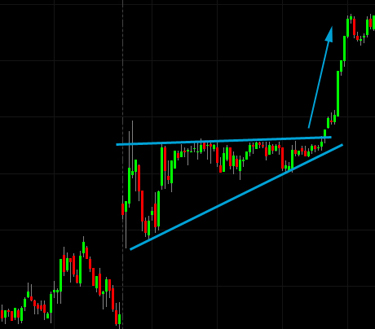 Learning how to trade is easier than many highly skilled professions but you will need to do your homework before you trade real money. Paper trade first and only after you have mastered paper trading should you slowly transition to real money (mixing some paper and some real). Paper trading today is done in an electronic simulation environment, not with real paper. When you trade you must do what needs to be done even though you may not want to do it. Human instincts are often wrong and you must learn to resist these feelings that will lose you money. The way probability works is important to trading but is different than your natural instincts will lead you to believe. The Gambler's fallacy, also known as the fallacy of the maturity of chances is the belief that your odds improve when an unusual series of losses occur or that your odds of winning rises when you have a losing streak. Some slot machine players will prefer slot machines that have not paid out in a while in the belief that the chance of a payout has now improved. Let's look at a coin flip example: if you are flipping a coin and you get "heads" four times in a row then your chances of getting "tails" on the next coin toss has improved. However, each coin toss is an independent event that is ignorant of every previous coin toss. Since the coin does not remember the previous string of heads it is not biased in the next toss. If fifty different people toss a coin in the air eight different times then the probability of at least one person getting all heads or tails is 32.44%. That person with all heads (or tails) probably had difficulty accepting the outcome but it is no less probable that the person who had exactly 25 heads and 25 tails which were evenly distributed.


